
In May 2026 Google announced that standalone Display campaigns are moving into Demand Gen. A migration tool started rolling out in June 2026. New Display campaigns will only be possible inside Demand Gen, and the remaining ones will be migrated automatically.
If you run Display, your placements are about to become Demand Gen placements. The inventory is the same websites and apps. The controls around it are not, and a few things you rely on today do not carry over. This guide covers where Demand Gen ads run, how to see the placements, how exclusions work now, and what to do before the migration reaches your account.
Everything here was checked against Google's help pages in September 2026. Google is changing Demand Gen quickly, so expect some menu labels to move.
Where Demand Gen ads can run
Demand Gen serves on:
- YouTube in-stream, in-feed and Shorts
- Discover
- Gmail
- Google Display Network, the same websites and apps Display campaigns use. Image ads have run there since April 2025.
- Maps, where eligible
Which of these an ad group uses is set by channel controls, at ad group level: open the ad group settings, go to the Channels panel and choose Let me choose instead of all Google channels. You can run the Google Display Network on its own, and Google recommends exactly that for migrated Display campaigns, so that performance stays comparable.
Display versus Demand Gen, for placement quality
Demand Gen is where Display campaigns are going, and the same Display Network inventory sits inside it. What changes is how much control and visibility you have over that inventory:
| Display | Demand Gen | |
|---|---|---|
| Websites and apps | Google Display Network | the same Display Network, plus YouTube, Discover, Gmail and Maps |
| Choosing which surfaces run | network settings per campaign | channel controls per ad group |
| Placement exclusions | campaign, ad group or account level | account level only |
| Site-level reporting | individual placements | YouTube by channel and video; the Display Network may be a single aggregate row |
| What migrates | — | ad group exclusions and bid adjustments are dropped, Display Network on by default |
Read down the two columns and the pattern is that the inventory stayed the same while the controls moved up a level. The sites that wasted your money under Display are still there, and the per-campaign tools you used to fence them off are not. That is why the account-level list stops being housekeeping and becomes the main control you have.
How to see Demand Gen placements
Use the Where ads showed report: Campaigns → Insights and reports → When and where ads showed → Where ads showed. For Demand Gen it can show clicks, impressions, cost and conversions.
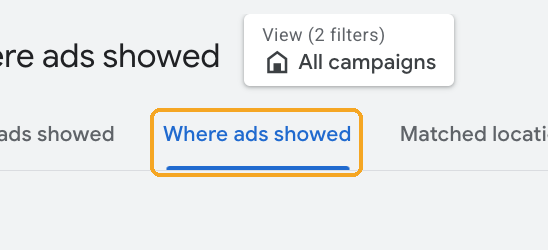
How much detail you get depends on the channel. YouTube is broken out by channel and video for each format. For the other channels, Google's own Demand Gen documentation describes Gmail, Discover and the Display Network as grouped together, although Google has since started separating Gmail and Discover. Check what your own account shows for the Display Network:
- Individual sites and apps listed: audit them exactly as you would a Display placement report.
- Only an aggregate row: you have less site-level visibility than Display gave you. You can still use segment by network to see what the Display Network costs as a whole, which tells you whether it is worth watching.
Exclusions now live at account level
This is the biggest practical change. Google's Demand Gen FAQ is explicit: topic and placement exclusions "will not be generally available at the campaign or ad group levels".
So for Demand Gen, the controls are the account-level ones:
- Excluded placements: Tools → Content suitability → Advanced settings → Excluded placements. This is the same list Performance Max uses.
- Inventory type, excluded content types and excluded content keywords: also under Content suitability, at account level.
One list now governs Performance Max, Demand Gen, Display and YouTube in the account. You cannot give one campaign a stricter list than another, so the account list has to be something every campaign can live with. The details of that list, including its limits and the www. pitfall, are in our Performance Max placements guide.
Before your Display campaigns migrate
According to Google's migration notes, some settings do not transfer. Ad group-level exclusions and bid adjustments are dropped, Manual CPC and viewable-impression bidding have to change, and combined audiences need rebuilding. Migrated campaigns also have the Display Network switched on by default.
A checklist worth working through now:
- Export your Display placement report. Use Where ads showed, the last 90 days, with cost and conversions. Depending on what Demand Gen shows in your account, this may be the most detailed site-level record you get.
- Find the junk while you still have the numbers. Drop the export into our free placement exclusion list generator. It works in your browser, shows where the spend concentrates, how much went to apps, and which placements look suspicious.
- Move every exclusion that matters to account level. Ad group exclusions will not transfer, and Demand Gen does not support placement exclusions per campaign or ad group, so the account-level list is the only place they will keep working.
- Write down your app and content settings, then check them again once the campaign has moved.
- Keep migrated campaigns on the Display Network only at first, as Google recommends, so that the before and after are comparable.
- Check Where ads showed and the network split regularly for the first month after migration.
What does not change
The junk does not care what the campaign type is called. The made-for-advertising sites, the apps with accidental taps and the domains buying their traffic are the same inventory under Demand Gen as under Display. A good account-level list protects Performance Max and Demand Gen at the same time, which makes it worth more than any single campaign's settings ever were.
If an exclusion does not appear to be holding after migration, the troubleshooting checklist covers the usual causes.
If you want to know which of your placements are genuinely junk rather than just unfamiliar, DisplayGG visits and scores each site, with 100 free credits and no card. Or send us your report and we audit your top 100 placements for free.
Sources (Google Ads Help): Google Display Ads moving to Demand Gen · About Demand Gen campaigns · Channel controls · Demand Gen reporting · Demand Gen FAQ · Display Network in Demand Gen